
On 27 October 2026, 3D Cloud and MillerKnoll announced in a press release distributed through PR Newswire, “3D Cloud and MillerKnoll Bring Product Configurators to Knoll.com”, that 3D product configurators are now live on Knoll.com. Customers can configure the Womb Chair and Ottoman, the Saarinen Dining Table and the Barcelona Chair, among other Knoll designs, on both Knoll.com and the Design Within Reach website, and according to the release both sites draw “from the same 3D asset foundation”.
Most of the release is about what sits behind the configurator: a centralized library of 3D product content shared across MillerKnoll's brands, used “instead of treating every website, brand or customer experience as a separate 3D project”. Lorna Jean Marcuzzo, Senior Technology Manager, 3D Visualization + Content at MillerKnoll, is quoted saying that the Womb Chair's materials, finishes and configuration options “are centrally managed in one place”. The same partnership earlier produced configurators for Herman Miller, DWR and Geiger, and for the MillerKnoll Healthcare contract site.
Copies drift, and the viewer is the easy part
Among the reasons MillerKnoll gives are fewer duplicates and products shown with the same attention to detail “wherever customers, designers, or dealers encounter them”. In our assessment, that is where the real cost of browser 3D lies. Turning a chair on screen is a solved problem. Keeping its finishes and option rules identical on every page that shows it is not, once each page holds its own copy of the model: a fabric added on the brand site does not appear on a dealer's page until someone rebuilds that page, and a discontinued option can stay selectable there long after it has left the range.
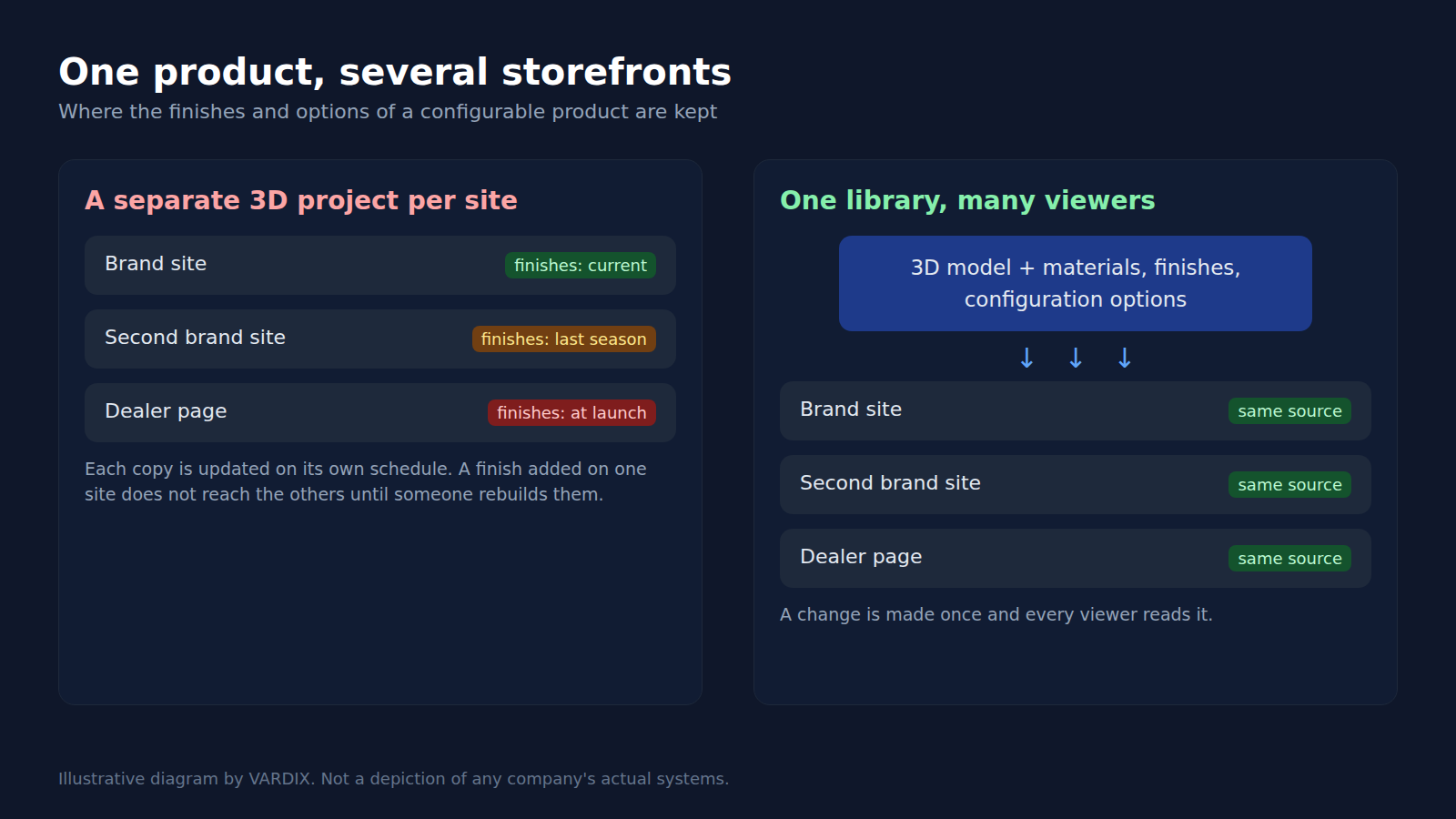
Illustrative diagram by VARDIX, not a depiction of any company's systems: separate copies per site drift apart; one library keeps every viewer on the same finishes and options. © Vardix Group
What to ask a supplier before the first model
A distributor or dealer selling a manufacturer's range online sits at the end of that chain. If the manufacturer keeps one library, the dealer can embed a viewer that reads from it. If not, the dealer either commissions a separate model, which becomes one more copy to drift, or falls back to photographs. So the question worth putting to a supplier before any 3D work starts is whether its finishes and option rules live in one place, and whether a partner's page is allowed to read them.
Built once, embedded on someone else's page
VARDIX 3D Web Services builds product configurators, virtual showrooms and 3D presentations that run in a browser tab, with no app or plugin to install. Work starts with an audit of the 3D assets a manufacturer already has, or with new models built to web delivery budgets, and the result is delivered as an embed-ready iframe or Web Component, or as a full page, with hooks into a content management system. That is what lets one viewer sit on a manufacturer's own site and on a partner's page at the same time. The published targets are a first render in under three seconds on mobile 4G, 60 frames per second on desktop and 30 on mobile.
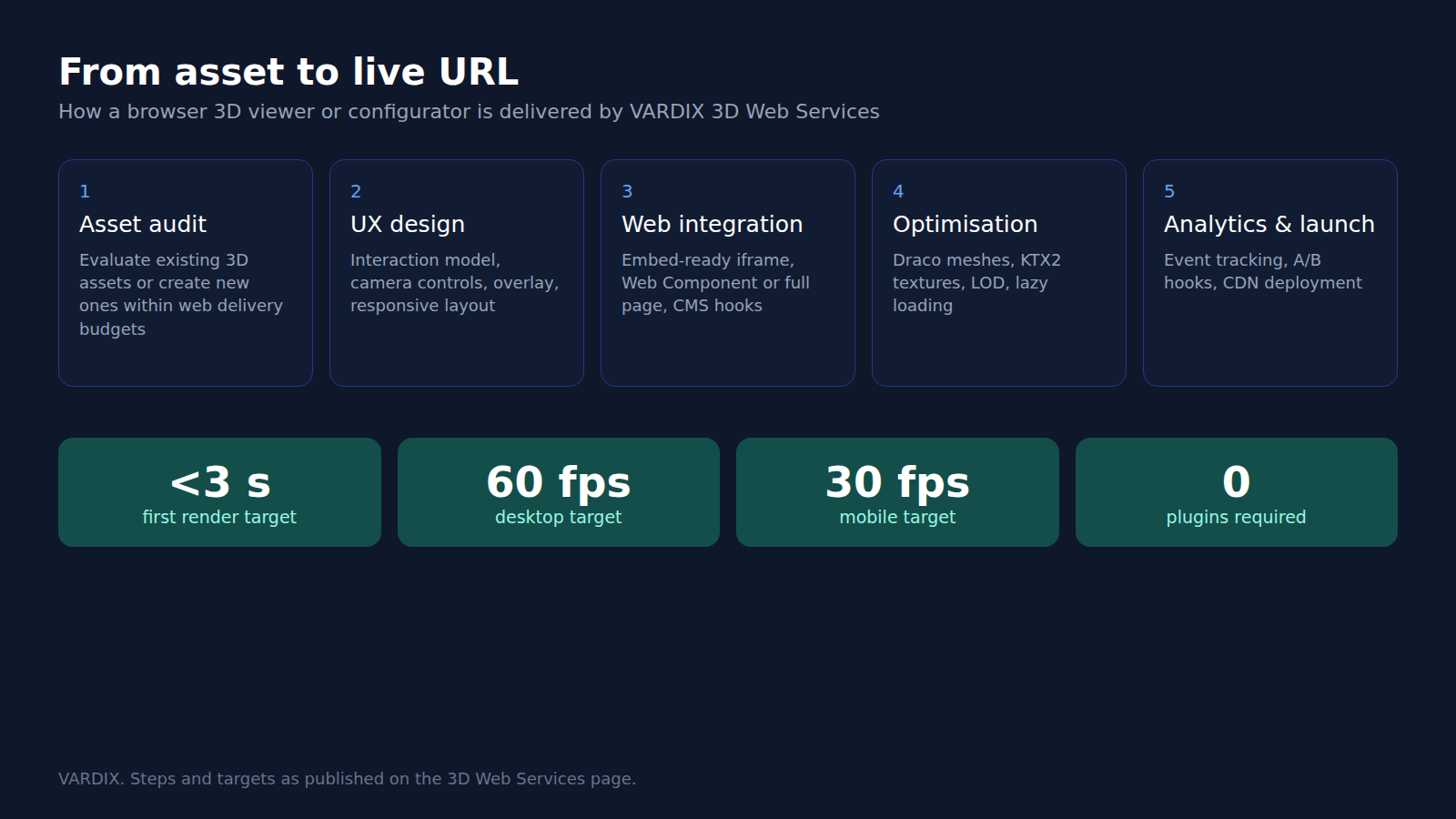
How a browser 3D viewer is delivered: steps and targets as published on the VARDIX 3D Web Services page. © Vardix Group
A manufacturer does not have to commit to a whole range to see the result: the service offers to prototype a 3D web experience in two weeks from a product and use case it is sent, with no commitment required.
The announcement reports a deployment, not its results. The release gives no figures on what the configurators have done for sales, returns or time spent configuring, and it is a joint announcement by the platform vendor and its customer. Even so, a global design group has chosen to put its effort into the model and its data first, and into the page second.